820-01958 DFU problems

Kyle93

Active member
This arrived fully functional. User wanted their drive erased and a new OS installed.

Booted into OS recovery mode and erased the SSD. During the erase process the screen went black but then nothing else happened. Normally it would turn back on and start internet recovery process.

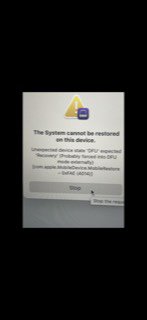
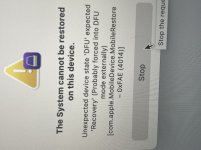
When trying a DFU restore apple configurator2 keeps giving error message

“The system cannot be restored on this device” unexpected device state DFU expected recovery (probably forced into DFU mode externally” (4014


how do you fix this kind of problem?
 

Kyle93

Active member
pp0v9_ssd appears to be missing but the schematic does not tell me from where it comes from.

On another board that has ticking CPU this rail jumps to 0.160V at times. The one are working on stays at 0V
 

2informaticos

Administrator
Staff member
So the Apple Configurator 2 tells you machine is in Recovery mode?
We have few recent posts about switching to DFU in such case.

Did you follow all the steps from DFU tutorial?
 

Kyle93

Active member
No Apple configuator 2 rcognizes the machine in DFU mode, starts the restore process then gives the following error. See attached picture
 

Attachments

  • BB944E92-BC35-4835-9C48-575754D8824F.jpg
    BB944E92-BC35-4835-9C48-575754D8824F.jpg
    8.4 KB · Views: 10

Kyle93

Active member
PP1V2_AWAKE 1.2V

PP1V8_AWAKE 1.8V

PP3V3_AWAKE 3.3v

PPVDDCPU_AWAKE 0.755v

PPVDDCPUSRAM_AWAKE 0.802v

PP0V8_SLPS2R 0.800v

PP1V8_SLPS2R 1.8v

PP1V25_SLPS2R_SMC_AVREF 0.234v

PP1V1_SLPS2R 1.1v
 
Last edited:

2informaticos

Administrator
Staff member
"PP1V25_SLPS2R_SMC_AVREF 0.234v"
There is a problem.
Check diode mode to ground.
Remove C4781 and check voltage again.
If still low, change U4780.

Just in case, try to start in SMC bypass mode.
 

Kyle93

Active member
After removing and replacing C4781 PP1V25_SLPS2R_SMC_AVREF is now a steady 1.1V

afterwards tried DFU restore once again which finished successfully but the board is still having a boot problem. When plugging in it would go up to 0.78 amps the fan would spin real fast then would go back to 0amps andkept repeating that process.

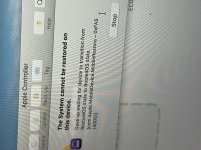
Tried DFU restore once again but it’s now giving me that same 4014 error along with a new error at times I’ve attached.

What next?
 

Attachments

  • E362E9B3-F45D-4A7A-8606-727390E70B33.jpeg
    E362E9B3-F45D-4A7A-8606-727390E70B33.jpeg
    359.7 KB · Views: 2

Kyle93

Active member
After many attempts apple configurator 2 successfully restored the t2 firmware.

Now when power is applied it goes to 20v and up to 0.78amps before cycling back to 0 and repeat. Fan spins for a few seconds during this process

What should be checked next for the looping problem?
 

2informaticos

Administrator
Staff member
After restore is done, the T2 Mac should start macOS installation.

Try again to start in SMC bypass mode.
Check voltage on big coils when fan spins.
 

Kyle93

Active member
SMC bypass mode did not work.

Voltages on all big coils are good.

After the fan spins meter stays at 0.63 amps for a few seconds then drops to 0amps. Afterwards only goes up to 0.14amps back to 0amps and so on up until charger disconnected
 

Kyle93

Active member
Good battery resolved that problem.

Once the board is powered up the apple logo appears for several minutes (normally only appears a few seconds) and once internet recovery mode begins there is a another long delay before givin the option to choose wifi network. Trackpad cursor moves all over on its own. Click not working but caps light on keyboard works. Tried known good trackpad and keyboard but same behavior.

L6700 was replaced just in case but no change
 
Top